A Dual Monitor Arm is a mechanical product, but the experience of receiving and installing it also influences its practical value. For distributors, office equipment suppliers, and businesses preparing multiple workstations, missing hardware, unclear component identification, or confusing instructions can create unnecessary delays. Even when the main product meets its specifications, poor preparation of the package may make installation more complicated than expected. From a manufacturer's perspective, packaging should protect the product while helping users identify components, understand assembly requirements, and prepare the workstation efficiently.
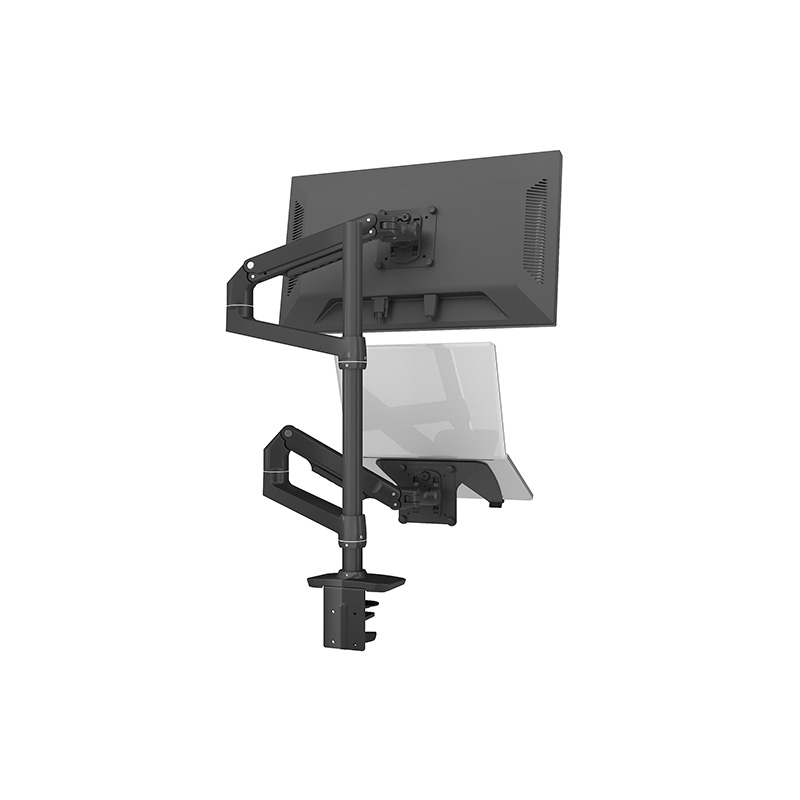
A monitor arm may include arm sections, mounting hardware, fasteners, cable management components, and installation instructions. When these items are packed without a clear arrangement, users may need extra time to identify each part before assembly.
Manufacturers should establish a packing plan based on the product's structure and installation sequence. Components that belong together can be grouped, while small hardware items can be separated and identified to reduce confusion. Buyers sourcing a Dual Monitor Arm in bulk should confirm the expected package contents and ensure that the packing arrangement matches the approved product configuration.
Monitor arms contain moving joints and connected components that may be affected by rough handling or repeated movement inside a carton. Visible surfaces can also become scratched if parts rub against each other during transportation.
The packaging design should keep the product securely positioned and provide suitable separation between components where necessary. The level of protection depends on the product's shape, weight, finish, and shipping arrangement. For manufacturers, evaluating the packed product rather than the empty carton helps determine whether the arrangement adequately protects the actual item.
Installation becomes more manageable when users can distinguish the required fasteners and mounting components without repeatedly comparing them by appearance. This is especially important when several similar parts are supplied in one package.
A clear identification method may include labeled hardware bags, a component checklist, or a diagram showing where each part belongs. Buyers should also confirm whether the included mounting hardware suits the intended installation method. If a product offers different mounting options, the package contents and instructions should make the supported configuration clear.
Before a bulk order moves into production, buyers can review the following details:
These checks create a practical packing reference and help reduce uncertainty when products arrive at their destination.
Installation instructions should reflect the order in which the product is assembled. If users need to identify the mounting method, attach the base, connect the arm sections, and then install the monitors, the documentation should present these steps clearly.
Diagrams can help users recognize components and understand their orientation. Instructions should also distinguish between mounting requirements and later adjustment procedures. For business buyers, reviewing the documentation alongside the physical sample helps identify confusing steps before products are distributed to customers or installed across multiple workstations.
Different buyers handle monitor arms in different ways. A distributor may store products before individual resale, while a business purchasing several units may send them directly to an installation location. Packaging should reflect the intended delivery and handling process.
Clear model identification can help warehouse staff separate products with different configurations. For project orders, organizing packages consistently may also make it easier to distribute the correct units to the intended workstations. Buyers should communicate their storage, labeling, and delivery requirements early so that packaging decisions can be included in the production plan.
A well-prepared shipment depends on more than the condition of the main arm. Hardware completeness, surface protection, component identification, and understandable instructions all contribute to the product's readiness for installation. These details are worth reviewing alongside structural specifications and adjustment performance when evaluating a Dual Monitor Arm.
For overseas buyers, discussing packaging requirements with the manufacturer before bulk production creates a clearer standard for inspection and delivery. A manufacturer can then assess the package as part of the complete product, helping purchasing teams establish consistent expectations for future orders. When packaging, documentation, and component organization are planned together, a Dual Monitor Arm is easier to receive, identify, and prepare for its intended workstation.

We will reply to you within 12 hours after receiving the inquiry on working days. Or, give us a call.


Copyright © Yongkang Zhida Industry and Trade Co., Ltd. All Rights Reserved

China Stand Arm Monitor Factory


 English
 Español
 Deutsch
 عربى
 Nederlands
 Français
 日本語

