Yongkang Zhida Industry and Trade Co., Ltd.
A dual-screen workstation can support multitasking, data comparison, design work, and communication, but its usefulness depends partly on how easily users can position their displays. Screens that are difficult to adjust may remain in an inconvenient position even when the desk has enough space. For buyers sourcing a Dual Monitor Arm, the important consideration is not simply whether two monitors can be mounted, but whether the adjustment mechanism suits the intended working environment. From a manufacturer's perspective, movement, positioning, structural balance, and user interaction should be considered together during product development.
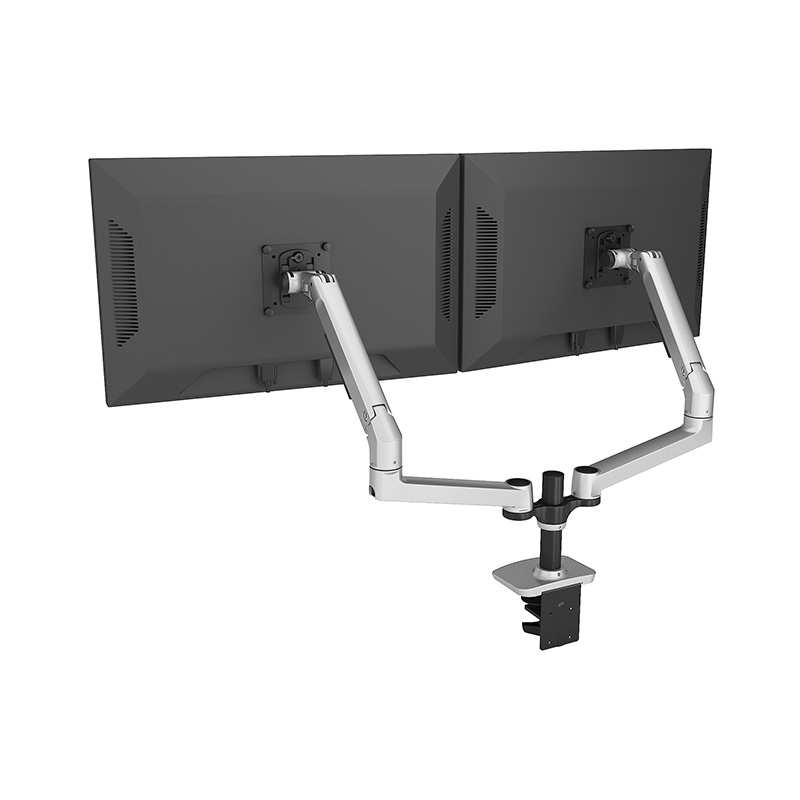
Users may need to move their screens to reduce glare, align two displays, or accommodate a change in working posture. If the arm moves too stiffly, repositioning can become frustrating. If the movement feels uncontrolled, users may struggle to keep the monitors where they want them.
The adjustment mechanism should therefore be evaluated under the intended monitor load. Buyers can observe whether the arm moves smoothly through its supported range and whether the screen remains in position after adjustment. These checks help reveal practical differences that may not be obvious from product photographs or a basic specification sheet.
A dual monitor setup does not always use two identical displays. One screen may be larger or heavier than the other, and the two monitors may have different thicknesses or mounting requirements. Such combinations can affect how the arm needs to be configured.
Before selecting a model, buyers should confirm the supported weight range for each arm and the permitted monitor dimensions. It is also useful to clarify whether the product is intended for two matching displays or a broader range of compatible combinations. This information helps manufacturers assess the application and prevents buyers from relying solely on the overall capacity stated for the complete product.
Even when both monitors are securely mounted, the final arrangement may feel awkward if the screens cannot be aligned as required. Differences in monitor height, bezel dimensions, and viewing angles can influence the layout, especially when users need to move between displays frequently.
A practical evaluation should consider how the screens meet at the center, how much angle adjustment is available, and whether the monitors can be positioned without unwanted interference. Buyers should assess the actual display combination rather than assuming that every pair of monitors will create the same result on a Dual Monitor Arm.
Several mechanical details influence the adjustment experience. Buyers reviewing a sample can focus on the following areas:
The available functions vary by model, so these checks should be matched to the actual product specification rather than treated as universal features.
Moving a monitor changes more than its viewing angle. The arm may extend into space occupied by a wall, shelf, desk partition, or nearby equipment. Cables may also need enough slack to accommodate the movement without pulling against the connectors.
Buyers should test the intended positions within the actual workstation layout. This helps identify whether the arm's movement range is useful in practice or restricted by surrounding objects. For office projects, checking these conditions before installation can reduce the need to reposition the mounting base later.
Manufacturers benefit from specific feedback when developing or refining a monitor arm. Comments such as “the screen is hard to move” are more useful when accompanied by details about the monitor weight, the direction of movement, and the position where the problem occurs.
Buyers can provide this information during sample evaluation and distinguish essential functions from optional preferences. Clear feedback creates a more practical basis for reviewing the mechanism, configuration, or product specification. It also helps maintain a consistent reference when the same model is ordered again.
A suitable monitor arm should support the intended displays while allowing users to make practical adjustments within the available workspace. Buyers should assess movement control, screen alignment, mounting conditions, and compatibility as connected requirements rather than isolated specifications. For manufacturers, understanding how customers use their displays provides a clearer direction for product development and quality evaluation. When selecting a Dual Monitor Arm, overseas procurement teams can make better-informed decisions by testing the actual monitor combination and confirming the required adjustment functions before placing an order.

We will reply to you within 12 hours after receiving the inquiry on working days. Or, give us a call.


Copyright © Yongkang Zhida Industry and Trade Co., Ltd. All Rights Reserved

China Stand Arm Monitor Factory


 English
 Español
 Deutsch
 عربى
 Nederlands
 Français
 日本語

