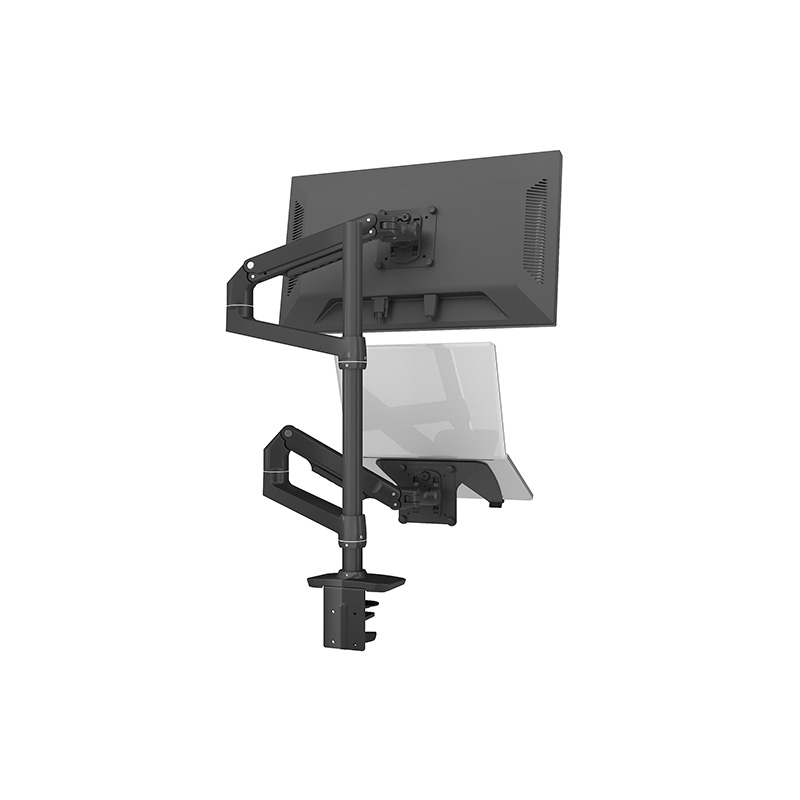
The question should be how the two displays will actually be used. Side-by-side screens remain practical for many office and engineering applications, while some users prefer one screen in portrait orientation or a vertically stacked arrangement.
A suitable mounting solution should provide enough adjustment range for the planned layout without forcing the monitors too far forward. Recent user discussions also show demand for mounts that can accommodate different screen arrangements without requiring a complete reinstallation.
A monitor arm needs to support the actual displays being installed, not just a general screen category. Weight distribution, screen dimensions, VESA mounting compatibility, and the position of the mounting points can all influence stability.
For buyers sourcing products for different customers, checking these specifications before ordering can reduce installation problems. It is particularly important when a product range may include conventional office monitors alongside larger or heavier professional displays.
More adjustment does not automatically mean a better workstation. What matters is whether the arm allows the user to position both screens comfortably for the tasks being performed.
OSHA guidance recommends positioning a primary monitor directly in front of the user and placing a second monitor beside it when both are used regularly. It also emphasizes sufficient adjustability for appropriate screen height and viewing distance.
A practical monitor arm should therefore make common adjustments straightforward:
A monitor arm that moves easily but becomes difficult to keep aligned can create frustration during everyday use. This is why the relationship between the arm structure, joints, mounting base, and supported monitor load deserves attention during product selection.
For manufacturers, stability starts with the mechanical design rather than being treated as an afterthought. Components need to work together so that users can reposition their screens while maintaining a secure working setup.
One reason businesses consider monitor arms is to recover useful desk space. A well-planned mounting system can move monitor stands away from the working surface, leaving more room for keyboards, documents, tools, or other equipment.
Current monitor-arm coverage also highlights desk-space savings and ergonomic positioning as key reasons buyers consider these products. However, the mounting structure itself should not unnecessarily interfere with the available workspace, particularly on compact desks or height-adjustable workstations.
Workstations rarely remain unchanged. Employees may switch between sitting and standing, replace monitors, or adjust their workspace for different tasks. A mounting system that accommodates these changes can be more practical than one designed around a single fixed arrangement.
Research published in the International Journal of Industrial Ergonomics also notes that the ergonomic impact of multi-monitor workstations depends on factors including monitor layout, screen size, and task type. This makes adjustability an application requirement rather than simply a product feature.
For distributors, office-equipment brands, and procurement teams, the supplier's manufacturing capability can influence consistency across larger orders. Technical communication, mounting compatibility, quality control, packaging, and customization options all become relevant when a monitor arm is being incorporated into a broader workstation product range.
At Yongkang Zhida Industry and Trade Co., Ltd., we approach monitor mounting products from a manufacturing perspective, considering mechanical structure, user adjustment, installation requirements, and practical workstation applications together. For buyers evaluating a Dual Monitor Arm, these factors can provide a more useful basis for supplier selection than specifications alone.
We will reply to you within 12 hours after receiving the inquiry on working days. Or, give us a call.


Copyright © Yongkang Zhida Industry and Trade Co., Ltd. All Rights Reserved

China Stand Arm Monitor Factory


 English
 Español
 Deutsch
 عربى
 Nederlands
 Français
 日本語

