Dual-screen workstations are used in offices, control rooms, design studios, and home offices where people need to view multiple applications without constantly switching between windows. However, adding a second screen does not automatically create a more practical workspace. Monitor size, desk depth, viewing angle, cable routing, and adjustment range all influence the final setup. For businesses sourcing a Dual Monitor Arm, the goal is to find a mounting solution that supports the intended displays while helping users organize their desks and adjust their screens comfortably.
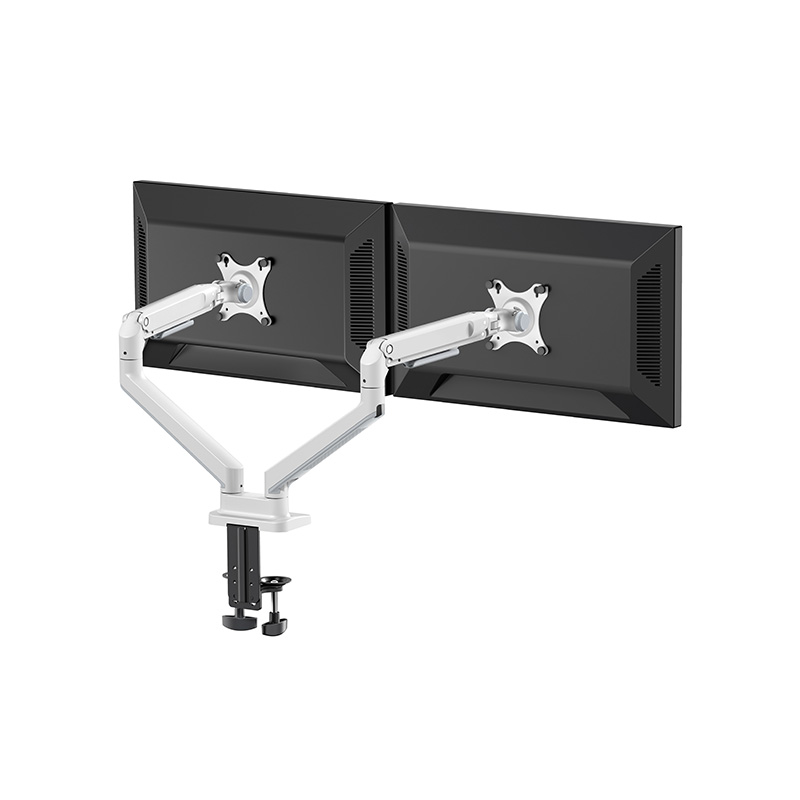
One common purchasing mistake is selecting a monitor arm based only on the number of screens it supports. Two monitors can differ in weight, dimensions, mounting interface, and center of gravity. These factors affect whether the arm can hold the displays securely and maintain the intended position.
Before choosing a model, buyers should confirm the weight and size of each monitor, including any relevant mounting requirements. The combined load matters, but the capacity of each individual arm also needs attention. A product that supports two displays in general may not suit every combination of screen sizes and weights. Clear compatibility information helps procurement teams narrow their options before ordering samples or placing bulk orders.
A conventional monitor stand occupies part of the desk surface, which can become inconvenient when users also need room for keyboards, documents, writing, or other equipment. A desk-mounted arm can move the screens away from the immediate work area and create a more flexible arrangement.
The actual space gained depends on the desk structure and mounting position. Buyers should consider the location of the desk edge, cable openings, partitions, and nearby equipment before deciding how the arm will be installed. For office furniture distributors and workplace project buyers, checking these conditions early can help avoid installation conflicts when multiple workstations are being fitted out.
Different users may prefer different screen heights, distances, and angles. Work tasks can also change throughout the day, especially in environments where employees switch between reviewing documents, communicating with colleagues, and working with detailed visual information.
A suitable Dual Monitor Arm should provide an adjustment range that fits the intended workstation. Buyers can evaluate how easily the screens move, whether the displays can be aligned, and whether the arm holds its position after adjustment. For side-by-side screens, it is also worth checking whether the two displays can be positioned independently enough to accommodate different viewing preferences.
A structured evaluation can help buyers compare products beyond appearance and price. Important checks include:
Recording these requirements in a purchasing specification makes it easier to compare samples and communicate expectations with a manufacturer.
Two monitors usually require several cables, and an untidy arrangement can reduce the visual and practical benefits of a well-organized workstation. Cables that hang across the desk may interfere with movement or become caught when screens are repositioned.
Cable management should therefore be considered alongside arm movement and mounting position. Buyers can check whether the design includes clips, channels, or other routing provisions and whether these features accommodate the cables used in the intended setup. Cable routing should keep wires organized without restricting normal screen adjustment or placing unnecessary tension on connectors.
For businesses furnishing an entire office, a monitor arm must be practical not only for one desk but also for repeated installation. Desk designs, monitor combinations, and cable layouts may vary between departments, making advance planning important.
Manufacturers can help buyers clarify the intended application, review mounting requirements, and identify which product specifications need to remain consistent across an order. Packaging, hardware identification, and clear assembly instructions can also support smoother deployment. Confirming these details before bulk production helps reduce confusion during installation and makes future replenishment easier to manage.
A well-planned dual-screen workstation depends on more than the arm itself. Monitor compatibility, desk construction, adjustment range, cable routing, and installation requirements all contribute to how the finished setup performs in daily use. From a manufacturer's perspective, understanding these requirements early creates a clearer basis for product selection and customization discussions. For overseas distributors and business buyers, choosing a Dual Monitor Arm around the complete workstation rather than a single specification can help deliver a more organized, adaptable, and practical working environment.

We will reply to you within 12 hours after receiving the inquiry on working days. Or, give us a call.


Copyright © Yongkang Zhida Industry and Trade Co., Ltd. All Rights Reserved

China Stand Arm Monitor Factory


 English
 Español
 Deutsch
 عربى
 Nederlands
 Français
 日本語

